
When I am writing my post on NASA's instagram Page, I had trouble with saving images from their Instagram page. But i found few easy ways to download images and videos from Instagram.
In this post, I will show you how to save pictures/videos from Instagram. I have two tricks up my sleeve.
~Normal Way~
~Geeky Way~
I will start with the normal way first


~Normal Way~
~Geeky Way~
I will start with the normal way first
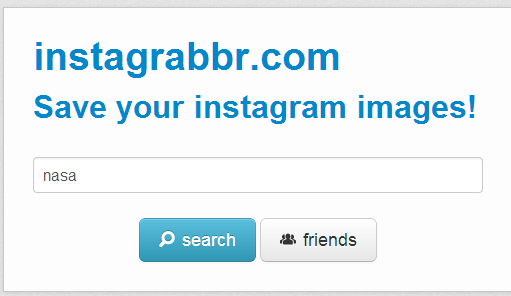
Download through Instagrabbr Website
Instagrabbr is a website that lets you download data from Instagram. All you have to do is to type in the user name of the instagram page (www.instagram.com/username)
User name of Nasa's Instagram page is "nasa".(www.instagram.com/nasa)
- Click "Search" after typing the username
- Then it directs to a page similar to that of respective Instagram page
- Now, you can able to save images from that page.
But who knows how long this site will last, There are chances for this site to get shutdown in future by Instagram's involvement as I had witnessed something like that recently. There used to be a website called Sound Drain through which we could download audio files from Sound Cloud. Sound Drain disabled their services as they got notice from sound cloud.
Visit Sound Drain to see what happened to that site.
Now, Its time for Geeky way...... I will show you how to download images from Instagram without any help from external website.This method uses the functionality of our browsers.
Save Pictures from Instagram through Firefox
- Go to the respective Instagram page and right-click on the image, Select 'View Background Image'.
- Then download it as you would normally
Save Pictures from Instagram through Google Chrome
- In chrome, right-click on the image and select 'Inspect-element'
- There, you can locate image links or can view them in Resources tab
- View the animated GIF below for clear understanding.